

The platform
The software for the years after setup.
Keystody coordinates a vault whose keys you hold, and then does the unglamorous part: it checks, records, reminds and documents, so that in year five the setup still works and your family could still use it. Self-serve if you like; with us if you prefer.
Choose your vault
Who should be able to reach your Bitcoin if you can't?
One question. Three answers. Every vault has three keys and needs two to spend; what changes is who holds the third.
Solo Vault
Only me
You hold all three keys, on three devices in three places. Maximum independence; your family's path is the envelope and the manual.
- Keys
- 3 × yours
- Spend
- any 2
- Best for
- technical holders
Household Vault
Most chosenMe, and someone I trust
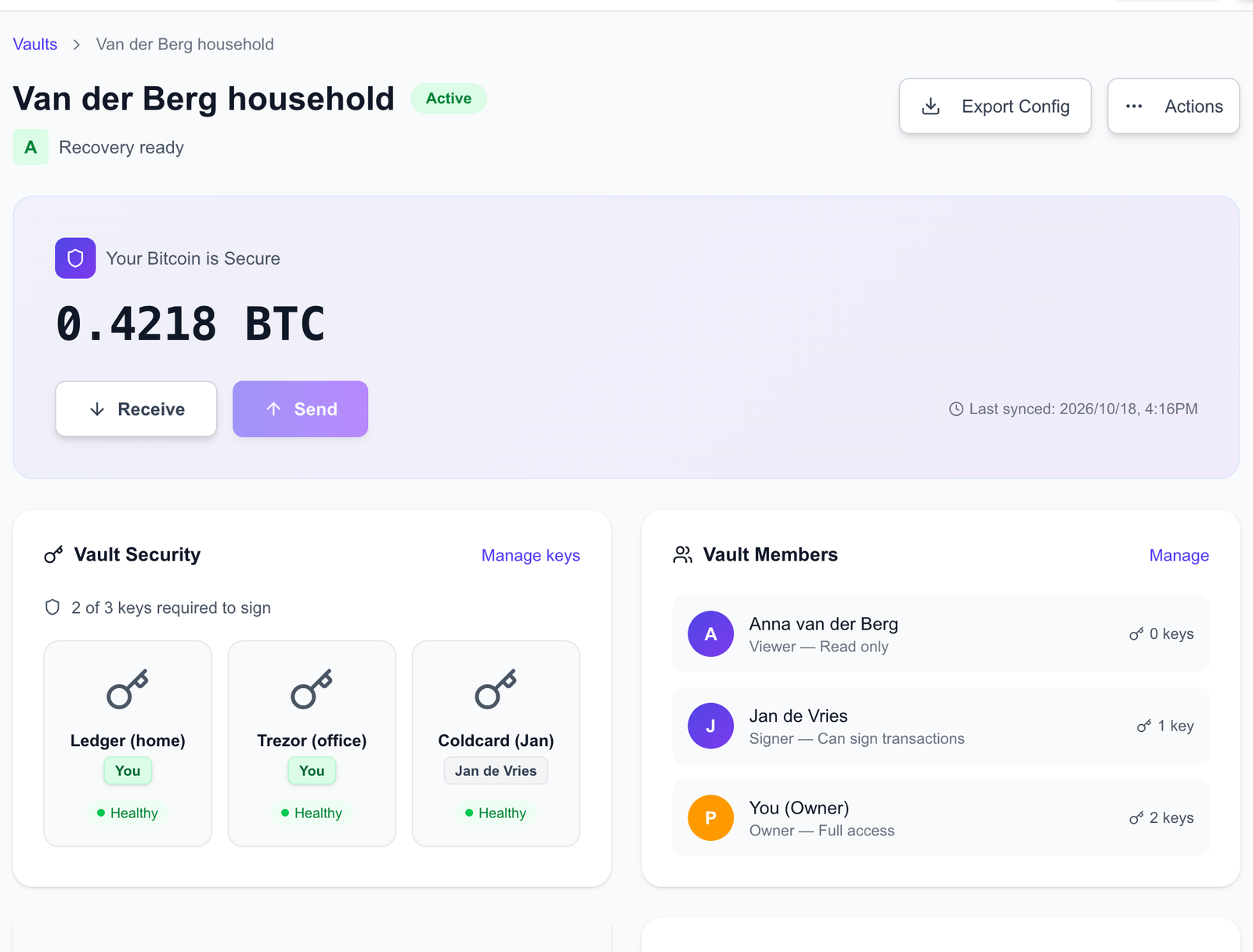
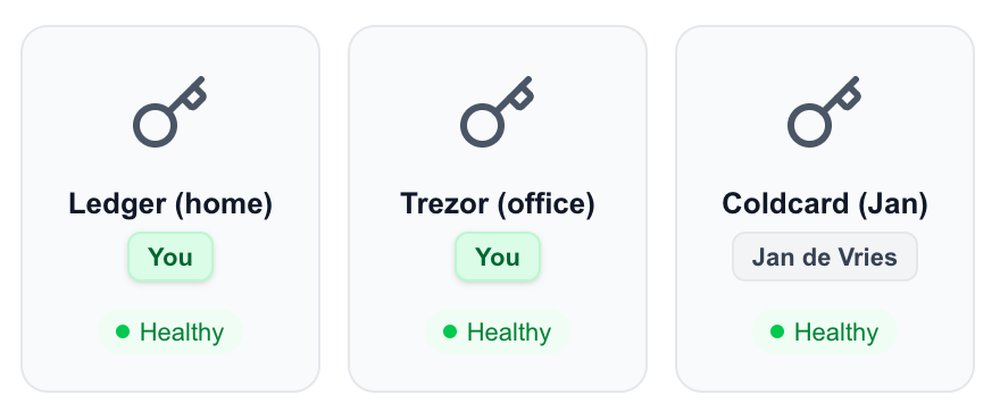
Two keys yours, the third with a person you choose, or in a place you choose. They can help your heir recover; nobody can spend alone.
- Keys
- 2 × yours + 1 trusted person
- Spend
- any 2
- Best for
- households, families
Business Vault
My organisation
Keys held by named people in defined roles, and a log of who did what. Nobody can move the treasury alone.
- Keys
- 3, by role
- Spend
- 2 named key holders
- Best for
- companies, family offices
Inside the platform
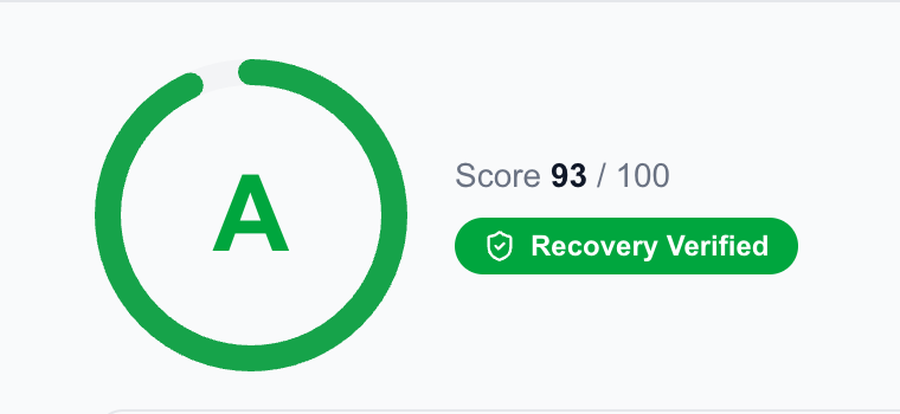
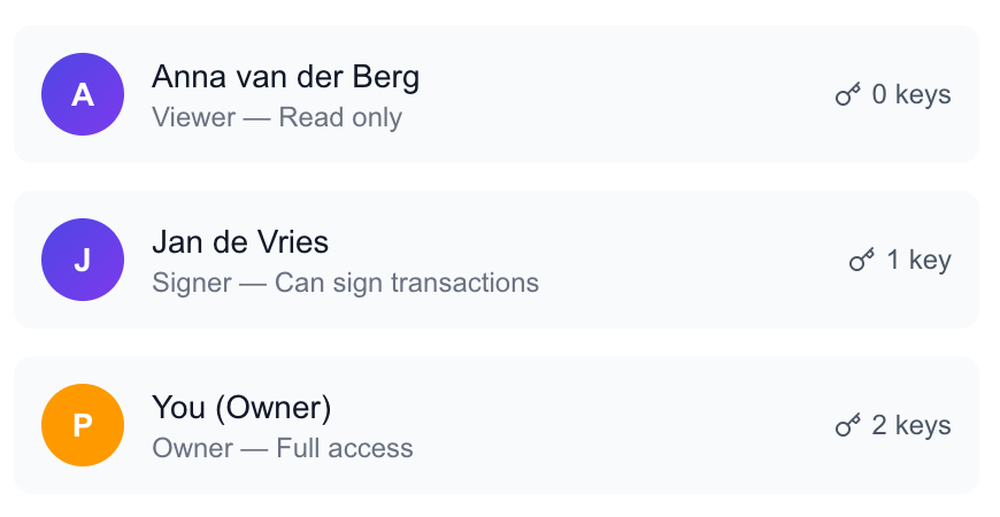
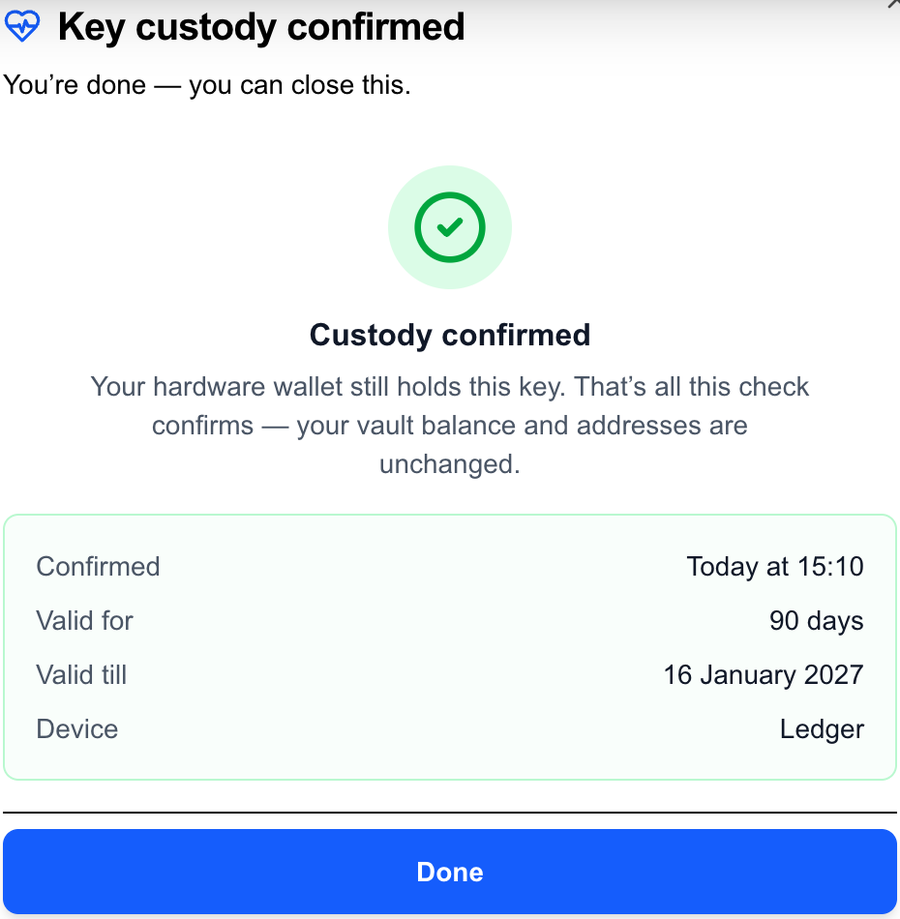
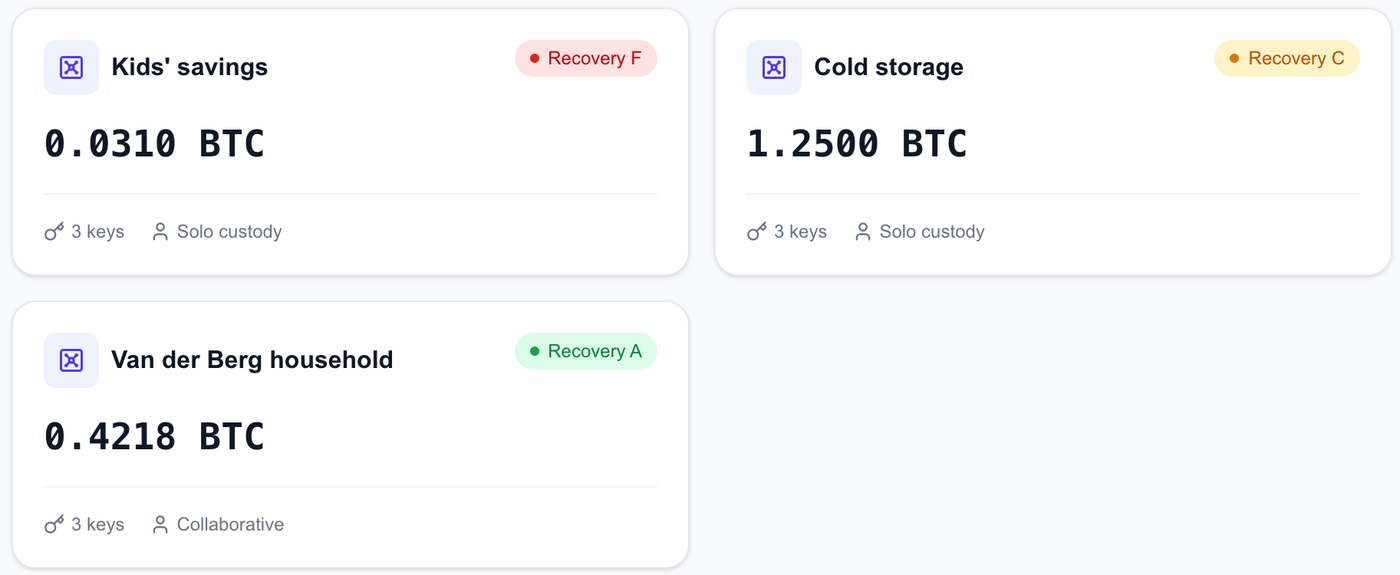
A household vault, as its owner sees it.
What it does
Every feature exists because something goes wrong in year three.
Readiness grade
A to F, computed live from verified keys, confirmed backups, recorded drills and continuity items. What you haven't checked counts against you; a self-confirmed fact never shows as platform-verified.
Key checks on-device
Each key is verified on its own hardware on a schedule. Overdue keys are flagged and you're reminded by email; spending is never blocked.
Recovery kit
The recovery sheet that rebuilds the vault in any wallet, a key-locations note you fill in by hand, and a card per key holder. Yours to download from the day the vault exists; tested in Sparrow and Bitcoin Core without us.
Recovery drill, recorded
A guide to rehearse the recovery while nothing is wrong, and a checklist item you confirm when you've done it, dated, counting toward your grade.
Shared vaults with roles
Invite a trusted person as a co-signer who holds a key on their own device, or give someone a read-only view that sees everything and holds nothing.
Address verification on your device
Every receive address can be confirmed on your hardware wallet's own screen, and the check is recorded per key, so a compromised computer can't quietly show you a wrong one.
Activity log
Who did what, when, from which device. For households it's reassurance; for businesses it's the audit trail. Exportable.
Two-factor authentication, required
Not optional: until you enrol an authenticator, the API refuses every request for your account. Recovery codes are shown once, to be kept offline.
Devices
Your hardware, two makers, your choice.
We don't sell devices and we don't favour a vendor. We do insist on two different makers in every vault, so one company's mistake can't reach two of your keys.
| Device | Connects | Status |
|---|---|---|
| Ledger (Nano S Plus, X, Stax, Flex) | USB, on your computer | Supported |
| Trezor (Safe 3, Safe 5, Model T) | USB, on your computer | Supported |
| Coldcard | File import, no cable | Supported · file import |
Any wallet that reads the standard recovery file can rebuild your vault. More devices are on the way.
Where it runs
In your browser, where your hardware connects. On your phone, to check.
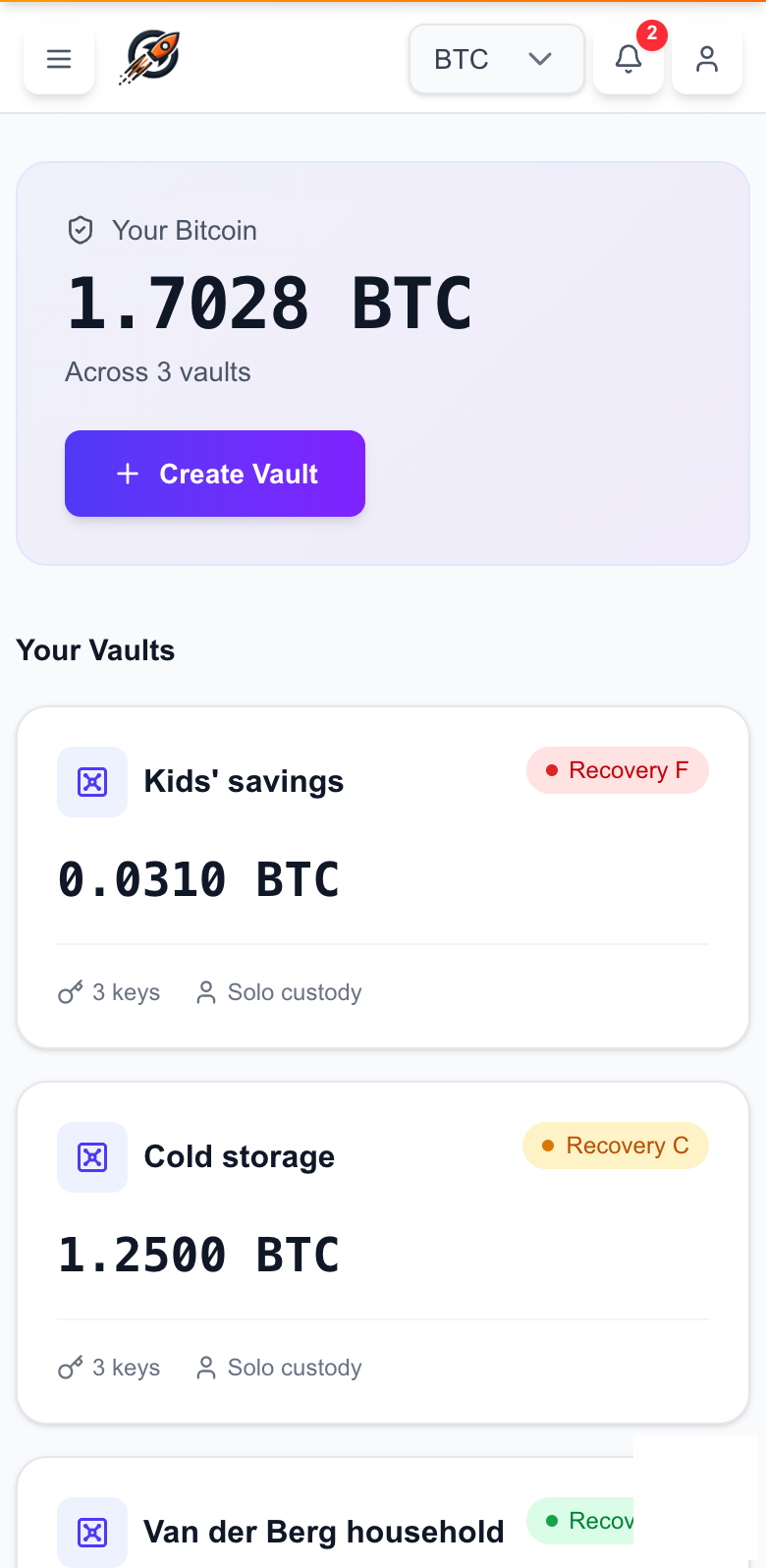
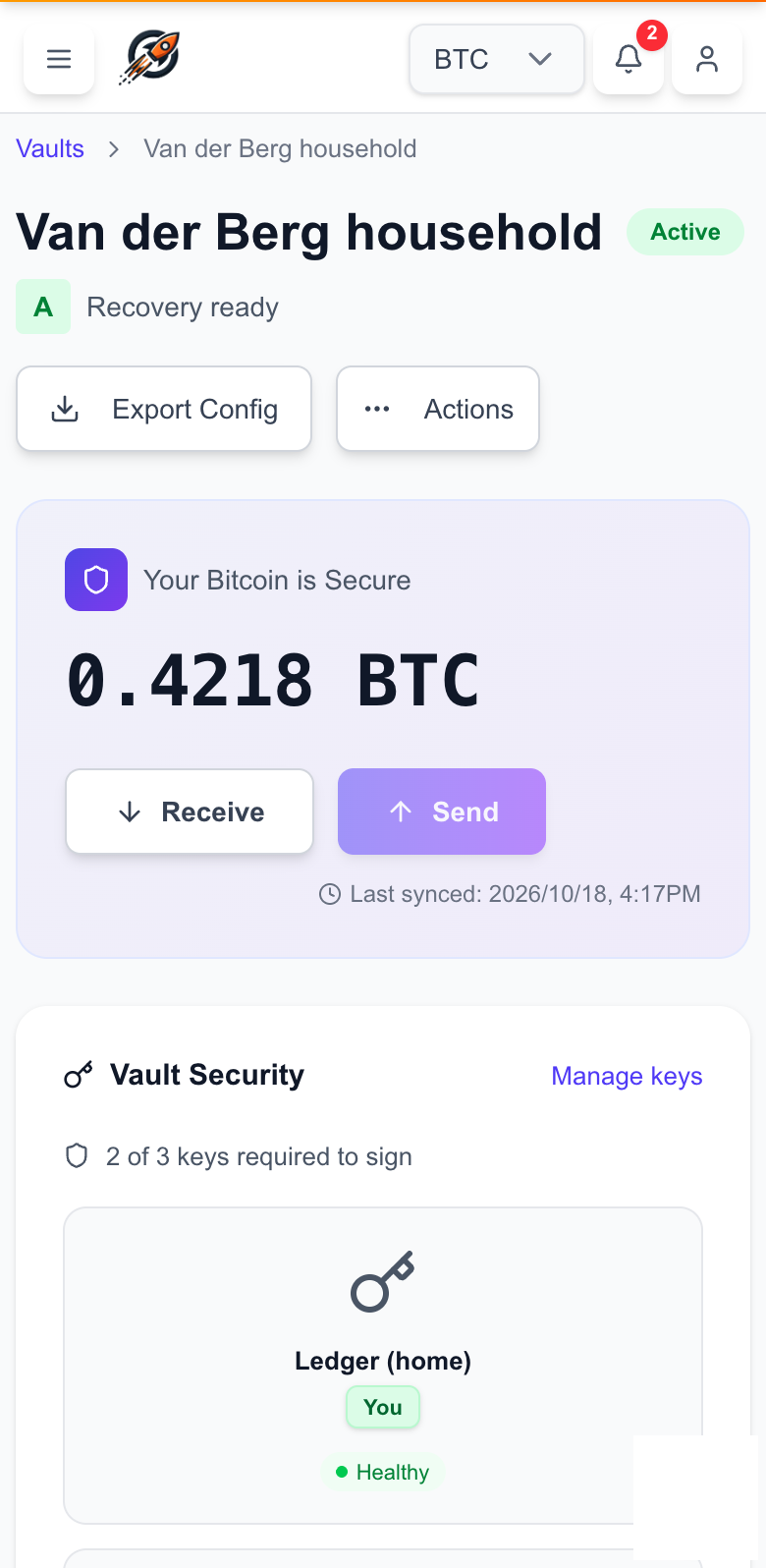
Setting up and signing happen on your computer, where your hardware wallets plug in; the keys never leave them. On your phone the same vault is there to check: the grade, each key’s health, who did what, and your reminders. Nothing on the phone can move funds, because nothing on the phone holds a key.
- On your computer
- Create the vault, verify addresses on the device screen, sign and send.
- On your phone
- See balances and grades, check a key's health, read the activity log, act on a reminder.
- Nowhere
- No key, no seed, no PIN. Not on the phone, not on our servers.
What we see
Exactly what we can and cannot see.
To check your keys and watch your addresses, Keystody holds your vault's public description. That means we can see addresses and balances. It does not mean we can spend: nothing we hold can move a single satoshi.
- Your private keys
- Never
- Never. Not even a backup.
- Your seed words
- Never
- Never. We will never ask.
- Public keys and addresses
- Yes
- Yes, to monitor and verify.
- Balances and history
- Yes
- Yes, as a consequence of the above.
- Encrypted at rest
- Yes
- Yes, with keys we control at our cloud provider; the running application can read it.
Access is by invitation.
We invite you after a call, or a member who already uses Keystody invites you. Every invitation starts in the sandbox: the same software, test Bitcoin, no risk, before anything real.